Running a web design or development agency means your hosting decisions scale differently from a single-site owner. Every client you onboard is another website to manage, another set of plugin updates to test, cloud hosting for agencies, another backup to protect, and another performance benchmark to maintain. Hostinger Cloud Professional hosting is worth examining specifically through the agency lens — not just what the plan includes, but how those features translate to real efficiency gains when you’re managing dozens of client sites from one dashboard.
Why Shared Hosting Breaks Down for Agencies
Most agencies start by hosting client sites on shared hosting plans. The problems emerge as the client roster grows:
- Resource contention: A traffic spike on one client’s site can affect performance on others sharing the same server resources
- Limited site capacity: Entry-level shared plans cap at 3–50 websites — manageable at first, restrictive as the portfolio grows
- Weekly-only backups: If a plugin update breaks a client’s live site, the recovery window can stretch back six days
- No staging environment: Testing updates directly on live client sites is a risk no professional agency should accept
- Shared IP reputation: Client email deliverability can be affected by other accounts sharing the same server IP
Cloud Professional addresses every one of these specifically — dedicated resources, 100-site capacity, daily backups with on-demand snapshots, a staging environment, and a dedicated IP — all from one managed account.
Cloud Professional Pricing for Agencies
| Billing Term | Monthly Rate | Total Upfront | Best For |
|---|---|---|---|
| 48 months | $15.99/mo | ~$767.52 | Established agencies with stable client base |
| 24 months | ~$18.99/mo | ~$455.76 | Growing agencies with 2-year planning horizon |
| 12 months | ~$21.99–$24.99/mo | ~$263–$299 | Newer agencies evaluating cloud infrastructure |
Seasonal promotions may reduce these rates — check the current live Cloud Professional price before committing to confirm any active discount.
For an agency billing clients for hosting management, the per-site economics shift considerably when you spread a single plan across 30, 50, or 100 client websites. At $15.99/month across 50 sites, the infrastructure cost per client drops to roughly $0.32/month per site — a margin that’s easy to build into even modest hosting management fees, also cloud hosting for agencies.
Agency-Specific Features: What Cloud Professional Provides
1. Host Up to 100 Websites on One Account
Cloud Professional supports up to 100 separate websites from a single hPanel dashboard. Each website gets:

- Its own WordPress or CMS installation
- Its own SSL certificate (automatically installed and renewed)
- Its own database, independent of other sites on the account
- Its own domain (purchased separately beyond the one free domain included)
Managing 100 sites from one dashboard — rather than 100 separate hosting accounts — eliminates the administrative overhead of tracking multiple billing cycles, login credentials, and control panel versions across different providers.
2. WordPress Staging Environment for Every Site
For agencies, the staging environment is one of the highest-value inclusions on Cloud Professional hosting. The workflow it enables:
- Clone a client’s live site to the staging environment with one click
- Test plugin updates, WordPress core updates, or theme changes on the staging copy
- Confirm everything works as expected — including payment gateways, forms, and custom functionality
- Push the tested changes to the live site
Without staging, agencies either test directly on live sites (risky) or maintain separate development server environments (expensive). Having it built into the hosting plan removes that infrastructure cost entirely.
3. Daily Backups With On-Demand Snapshots
Daily automatic backups run across all websites on the account. More importantly for agency workflows, Cloud Professional also provides on-demand backup capability — meaning before any significant update to a client site, you create a manual snapshot as an additional safety net.
This matters operationally: if a WooCommerce plugin update breaks a client’s checkout on a Friday afternoon, cloud hosting for agencies, the recovery point is minutes before the update (your on-demand snapshot), not the previous night’s automatic backup. That precision protects client relationships.
4. Dedicated IP Address for Clean Email Reputation
Agencies typically manage transactional email across multiple client sites — WooCommerce order confirmations, booking system notifications, membership emails, and newsletter campaigns. On shared hosting, all of these outgoing emails share an IP address with every other account on the server.
Cloud Professional’s dedicated IP means your client sites’ email reputation isn’t exposed to whatever is happening on neighbouring accounts — a meaningful professional standard for any agency responsible for client communications.
5. Dedicated Resources That Isolate Client Sites From Each Other
Cloud Professional’s 4 dedicated CPU cores and 6 GB of dedicated RAM are allocated exclusively to your account. This provides two specific benefits for multi-site management:
- Traffic isolation: A traffic spike on one client’s site (a viral post, a product launch, an ad campaign) doesn’t degrade performance on other clients’ sites sharing the same account
- Resource predictability: Performance doesn’t fluctuate based on what other hosting customers are doing — your clients get consistent speeds regardless of external server load
6. Free CDN Across All Hosted Sites
Hostinger’s built-in CDN applies to every website on the account — enabled per site with a single click. For an agency managing client sites with international audiences, this translates to faster load times across geographic regions without configuring third-party CDN services or billing clients for separate CDN subscriptions.
Full Technical Specifications of Cloud Professional Hosting
- 4 dedicated CPU cores
- 6 GB dedicated RAM
- 200 GB NVMe SSD storage
- Unlimited bandwidth
- Dedicated IP address
- Daily backups + on-demand snapshots
- WordPress staging environment
- Object Cache
- Free CDN (hPanel, one click)
- Up to 100 websites
- Free domain (1 year)
- Unlimited free SSL certificates
- Free email mailboxes (year 1)
- Priority 24/7 expert support
- 99.9% uptime guarantee
- 30-day money-back guarantee
Cloud Professional vs Cloud Startup for Agency Use
| Feature | Cloud Startup | Cloud Professional |
|---|---|---|
| Websites Supported | 100 | 100 |
| RAM | 4 GB | 6 GB (+50%) |
| Storage | 100 GB NVMe | 200 GB NVMe (2×) |
| Backups | Daily automatic | Daily + on-demand |
| Starting Price | $7.99/mo | $15.99/mo |
Both tiers support 100 websites — making Cloud Startup the entry point for agencies, and Cloud Professional the right tier once the client portfolio grows to the point where larger storage per site, more RAM headroom across concurrent active sites, and on-demand backup precision become operationally important.
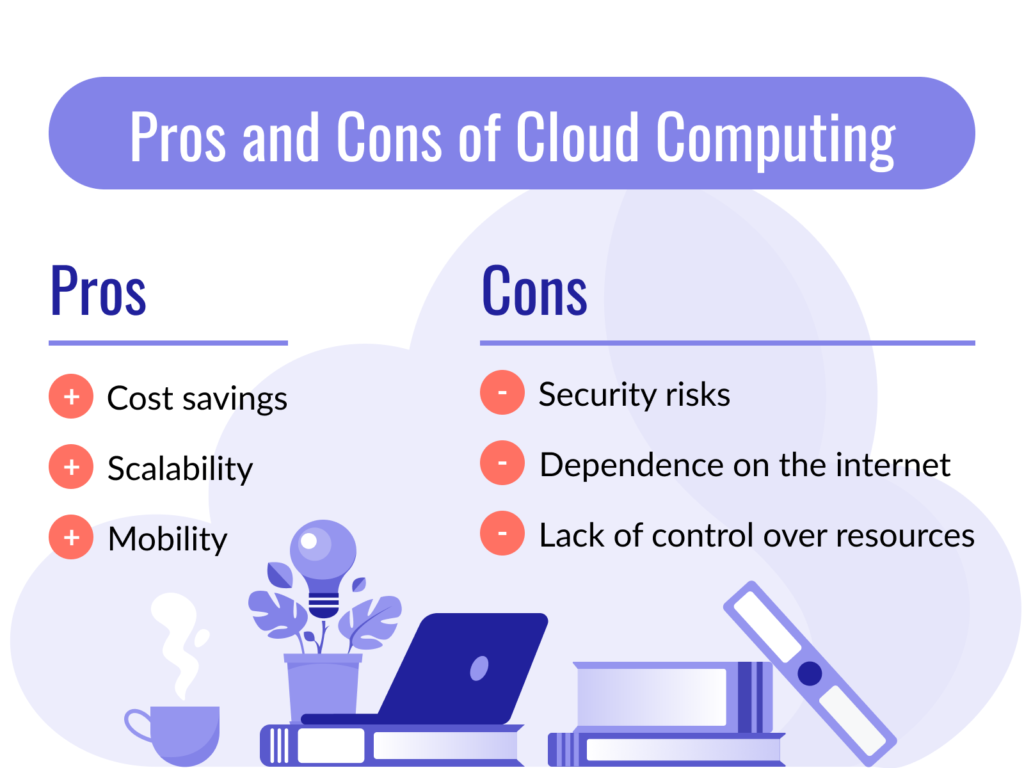
Pros and Cons of Cloud Professional for Agency Use
Pros
- 100 websites from one managed dashboard — eliminates multi-account administrative overhead
- Staging environment is built in — no separate development server infrastructure needed
- On-demand backups protect client sites precisely before updates, not just nightly
- Dedicated IP protects client email deliverability from shared-server reputation issues
- Dedicated resources mean one client’s traffic spike doesn’t affect others
- Free CDN across all sites with no third-party billing
- 30-day money-back guarantee
Cons
- Higher price than Cloud Startup — $15.99/mo vs $7.99/mo
- No phone support — chat and ticket-based only
- Renewal rate increases after the promotional term
- Very large agencies (100+ client sites) would need a second account or Cloud Enterprise
Frequently Asked Questions
Can I manage client access to individual sites on Cloud Professional?
Yes. hPanel allows you to create separate access credentials for individual websites, so clients can log in to their own WordPress admin without accessing other sites on your account.
Is Cloud Professional better than Cloud Startup for agencies?
For agencies actively managing 30+ sites with regular plugin updates, WooCommerce clients, or sites receiving significant traffic, yes — the on-demand backup capability and extra RAM justify the higher price. For smaller agencies just getting started, Cloud Startup’s 100-site capacity at $7.99/month is a cost-effective entry point.
Does each website get its own staging environment?
Yes. The staging environment creates a copy of each individual site for testing — you’re not limited to a single staging slot for the entire account.
Can I migrate existing client sites to Cloud Professional for free?
Yes. Hostinger offers free, no-downtime website migration for Cloud Professional customers — your client sites remain accessible throughout the migration process.
Does Cloud Professional include a CDN for all 100 hosted sites?
Yes. The built-in CDN can be enabled per site with a single click from hPanel — no separate CDN account or billing required for any site on the account.
Final Verdict: Is Cloud Professional the Right Agency Hosting Platform?
For agencies that have outgrown the limitations of shared hosting — resource contention between client sites, weekly-only backups, no staging environment, cloud hosting for agencies, and IP reputation risk on shared infrastructure — Hostinger Cloud Professional hosting addresses each of these operationally. The combination of 100-site capacity, per-site staging environments, on-demand backup precision, a dedicated IP, and fully managed infrastructure makes it a credible agency platform at a price point well below dedicated managed agency solutions.
If you’re currently managing client sites across multiple shared hosting accounts or experiencing the limitations of entry-level cloud plans, this is the tier built for the next stage of that growth. Check Hostinger’s current Cloud Professional pricing here and see if consolidating your agency’s hosting infrastructure makes sense.
You can also read: Hostinger Cloud Startup Pricing Review: Is It Worth Upgrading from Premium Hosting?