WordPress is famously easy to install and famously easy to slow down. The moment you add a handful of plugins, a page builder, and a steady stream of readers, the hosting underneath your site starts to matter far more than the theme you picked. This guide looks specifically at how Hostinger Cloud Startup hosting performs for WordPress sites and blogs in particular — the pricing, the WordPress-specific tooling, and whether it’s genuinely the better choice over shared hosting for content creators.
Why WordPress Bloggers Outgrow Shared Hosting Faster Than Other Sites
WordPress sites tend to hit performance ceilings earlier than simple static websites, for a specific reason: every plugin, widget, and dynamic element adds processing overhead on each page load. A blog running SEO plugins, a page builder, comment systems, and ad networks can quietly accumulate enough overhead that shared hosting’s limited PHP workers become the bottleneck — not your content, not your images, not your theme.
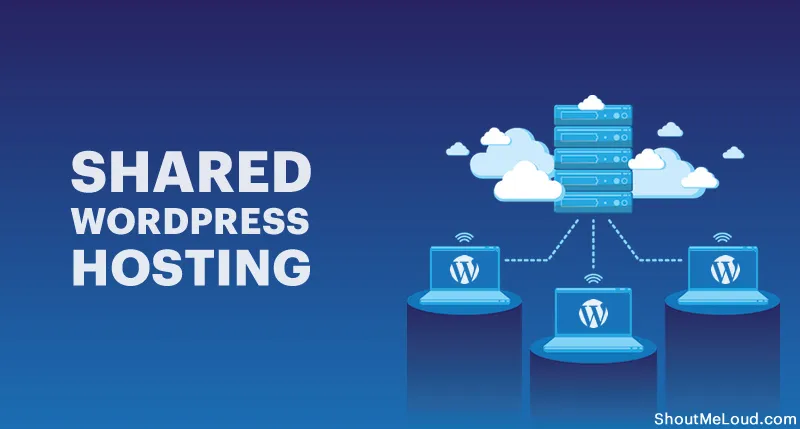
This is exactly the gap Cloud Startup hosting is designed to close, by giving WordPress dedicated resources instead of a shared pool.
Hostinger Cloud Startup Pricing
| Billing Term | Price Per Month | Total Paid Upfront | Renewal Rate |
|---|---|---|---|
| 48 months | $7.99/mo | ~$383.52 | $25.99/mo |
| 24 months | ~$9.99/mo | ~$240 | $25.99/mo |
| 12 months | ~$11.99–$13.99/mo | ~$144–$168 | $25.99/mo |
Hostinger frequently runs seasonal promotions on top of these rates, so it’s worth checking the current live price for Cloud Startup hosting before checkout.
Full Specifications for WordPress Performance
Resources That Matter Most for WordPress
- 4 CPU cores, dedicated exclusively to your WordPress installation — not shared with other accounts
- 4 GB RAM, which comfortably handles WordPress plus a typical plugin stack (SEO, caching, forms, analytics) without slowdown
- 100 GB NVMe SSD storage, significantly faster than standard SSDs for database-heavy WordPress operations
- 100 PHP workers, allowing far more simultaneous readers to load your blog without queueing — roughly 2.5x the capacity of entry-level shared plans
- 2,000,000 inodes, more than enough for a large media library, plugin files, and theme assets
- Unlimited bandwidth, so a viral post or shared link never triggers an overage charge
WordPress-Specific Tools Included
- One-click WordPress installation through hPanel
- LiteSpeed Cache plugin pre-installed, optimized specifically for Hostinger’s server stack
- AI-powered website builder and content tools for faster setup and ongoing content creation
- Free CDN, reducing load times for readers regardless of where they’re browsing from
- Daily automatic backups, protecting your published content and comment history
- Free domain name for the first year (a $9.99 value)
- Unlimited free SSL certificate, automatically installed and renewed
- Free email mailboxes, tied to your domain for the first year
- Dedicated IP address, useful for email newsletter deliverability if you’re sending content updates to subscribers
- Priority 24/7 support, with faster response handling than entry-level support queues
For bloggers specifically, the combination of LiteSpeed caching and dedicated resources on Hostinger’s Cloud Startup plan tends to show up most clearly in Core Web Vitals scores — which directly influence how Google ranks your content.
How Cloud Startup Improves WordPress Core Web Vitals
Google’s Core Web Vitals — Largest Contentful Paint (LCP), load responsiveness, and visual stability — increasingly factor into search rankings. For WordPress blogs specifically, here’s what dedicated cloud resources change:
- Faster Largest Contentful Paint, since dedicated CPU and NVMe storage process your page’s main content faster than shared resources can
- More consistent Time to First Byte (TTFB), because your server response isn’t competing with other accounts during their traffic spikes
- Better handling of comment-heavy or dynamically-loaded content, thanks to the higher PHP worker ceiling
- Reduced risk of “Error Establishing Database Connection” during traffic surges from a trending post or social media share
Cloud Startup vs WordPress Shared Hosting: Side-by-Side
| Feature | Premium (Shared) | Business (Shared) | Cloud Startup |
|---|---|---|---|
| CPU Cores | 1 (shared) | 2 (shared) | 4 (dedicated) |
| RAM | 2 GB | 3 GB | 4 GB (dedicated) |
| PHP Workers | 40 | 60 | 100 |
| Storage | 20 GB SSD | 50 GB NVMe | 100 GB NVMe |
| Backups | Weekly | Daily | Daily |
| Dedicated IP | No | No | Yes |
| Best For | Brand-new blogs, <10k visitors/mo | Growing blogs, 10k–50k visitors/mo | Established blogs, 50k+ visitors/mo |
If your blog is firmly in the “established, consistent traffic” category, Cloud Startup hosting is generally the tier where WordPress performance stops being a bottleneck for growth.
Hostinger Cloud Startup vs Other WordPress-Focused Cloud Hosts
| Feature | Hostinger Cloud Startup | WP Engine Startup | Kinsta Starter |
|---|---|---|---|
| Starting Price | $7.99/mo (48-mo term) | ~$25–$30/mo | ~$25–$35/mo |
| Free Domain | Yes (1 year) | No | No |
| CPU/RAM Model | Dedicated cores/RAM | Managed container resources | Managed container resources |
| Non-WordPress Sites Allowed | Yes | No (WordPress-only) | No (WordPress-only) |
| Dedicated IP | Included | Not standard | Not standard |
Competitor pricing fluctuates with ongoing promotions — figures reflect approximate standard published rates at the time of writing.
Dedicated WordPress hosts like WP Engine and Kinsta offer excellent WordPress-specific tooling, but at a significantly higher price point. For bloggers and small businesses on a tighter budget who still want strong WordPress performance, Hostinger’s Cloud Startup plan delivers much of the same dedicated-resource benefit at a fraction of the monthly cost.
Pros and Cons of Cloud Startup for WordPress Bloggers
Pros
- Dedicated CPU and RAM specifically help with plugin-heavy WordPress installs
- LiteSpeed Cache pre-installed and optimized for the server stack
- Daily backups protect published content and comment history
- Free CDN improves load times for readers across different regions
- Significantly cheaper than dedicated managed WordPress hosts like WP Engine or Kinsta
- Flexible — also supports non-WordPress sites if you ever diversify your projects
- 30-day money-back guarantee
Cons
- Lacks some of the WordPress-specific staging and developer tools found on dedicated WordPress hosts
- Renewal pricing increases substantially after the first promotional term
- No phone support — support is chat-based only
- Independent disk benchmarks have occasionally found Cloud Startup’s raw write speed below the cheaper Premium tier in synthetic tests, though real-world WordPress performance benefits from the dedicated CPU/RAM regardless
Is Cloud Startup Right for Your Blog? A Quick Checklist
- Your blog regularly sees 25,000+ monthly visitors
- You run several active plugins (SEO, caching, forms, ads, analytics) simultaneously
- You’ve experienced slowdowns or errors during traffic spikes from social shares or trending posts
- You’re monetizing through ads, affiliate content, or a membership area that depends on reliable uptime
- You want headroom to grow without re-platforming hosting again soon

If most of these apply, upgrading to Cloud Startup hosting is likely to show a noticeable, measurable difference in your site’s day-to-day performance.
How to Move Your WordPress Blog to Cloud Startup
- Open Hostinger’s Cloud Startup plan page and select your preferred billing term
- If you’re already running WordPress elsewhere, request Hostinger’s free, no-downtime migration service
- If starting fresh, use the one-click WordPress installer to get your blog live in minutes
- Activate the pre-installed LiteSpeed Cache plugin for an immediate speed boost
- Enable the built-in CDN with a single click in hPanel
- Set up your free email mailboxes and confirm your dedicated IP address
Frequently Asked Questions
Is Hostinger Cloud Startup good for WordPress blogs specifically?
Yes. Dedicated CPU and RAM, a higher PHP worker ceiling, pre-installed LiteSpeed caching, and a free CDN all directly address the most common performance bottlenecks WordPress blogs encounter as traffic grows.
How much does Cloud Startup cost for a blog?
The promotional rate starts at $7.99/month on a 48-month term, renewing at $25.99/month afterward. Shorter terms are available at a higher monthly rate.
Do I need Cloud Startup if I’m just starting a new blog?
Probably not yet. If you’re under 10,000 monthly visitors, Hostinger’s Premium shared plan is typically sufficient and more cost-effective. Cloud Startup becomes more valuable as your traffic and plugin usage grow.
Does Cloud Startup include WordPress-specific caching?
Yes, the LiteSpeed Cache plugin comes pre-installed and is optimized for Hostinger’s LiteSpeed server infrastructure.
Is Cloud Startup cheaper than dedicated WordPress hosts like WP Engine or Kinsta?
Yes, significantly. Cloud Startup’s promotional rate starts well below the typical entry-level pricing of dedicated WordPress-only hosts, while still offering dedicated CPU and RAM resources.
Will moving to Cloud Startup actually improve my Core Web Vitals scores?
In most cases, yes — dedicated resources and NVMe storage typically improve Largest Contentful Paint and Time to First Byte compared to shared hosting, both of which factor into Google’s ranking signals.
Final Verdict: Is Cloud Startup the Best Cloud Hosting for WordPress Bloggers?
For bloggers and WordPress site owners who’ve outgrown shared hosting’s resource limits, Cloud Startup hosting offers a genuinely strong middle ground — dedicated CPU and RAM, pre-installed caching tools, daily backups, and a free CDN, all at a fraction of what dedicated WordPress-only hosts charge for similar performance benefits.
If your blog’s growth has started outpacing your current hosting, this is the upgrade most likely to remove that bottleneck without overcomplicating your setup. Check Hostinger’s current Cloud Startup pricing here and see if it’s the right move for your WordPress site.
You can also visite: Hostinger Cloud Startup Pricing: Complete Cloud Startup Hosting Review with Free Domain, SSL, Daily Backups & CDN.