Three features separate a hosting plan that just keeps a website online from one that actively supports a growing business: dedicated resources that don’t buckle under real traffic, daily backups that protect what you’ve built, and a CDN that keeps load times fast for visitors regardless of where they are in the world. This review looks specifically at how Hostinger Cloud Professional hosting delivers on all three — what each feature actually does, how it compares to alternatives, and whether the price reflects genuine value.
Dedicated Resources: What They Are and Why They Matter on Cloud Professional
The word “dedicated” in hosting gets used loosely. On shared hosting plans, resources are pooled — every website on the same server draws from the same CPU and RAM allocation. On Cloud Professional, “dedicated” means something specific and verifiable: your allocation cannot be consumed by any other account, ever.
Cloud Professional’s Dedicated Resource Allocation
- 4 dedicated CPU cores — exclusively yours, not drawn from a shared pool
- 6 GB dedicated RAM — 50% more than Cloud Startup’s 4 GB, reserved for your account alone
- 200 GB NVMe SSD storage — high-speed storage that delivers faster database queries and file operations than standard SSDs
- Full resource isolation — no neighbouring account’s traffic spike can reduce your available CPU or RAM
What Dedicated Resources Change in Practice
The most visible symptom of insufficient resources on shared hosting is performance inconsistency — your site loads in 1.2 seconds at 3 a.m. and 4.5 seconds during peak afternoon hours, Hostinger Cloud Professional hosting review, because shared CPU is being divided differently depending on what other accounts are doing at that moment.
With dedicated resources, this variability disappears. Your 4 CPU cores and 6 GB RAM are available to your site at the same level during your busiest traffic hour as during your quietest one. For any site where visitor experience is tied to revenue — eCommerce checkouts, booking systems, membership platforms — that consistency matters directly.
How Cloud Professional Compares to Cloud Startup on Resources
| Resource | Cloud Startup | Cloud Professional | Difference |
|---|---|---|---|
| CPU Cores | 4 (dedicated) | 4 (dedicated) | Same |
| RAM | 4 GB (dedicated) | 6 GB (dedicated) | +2 GB (50% more) |
| Storage | 100 GB NVMe | 200 GB NVMe | 2× more |
| WooCommerce Capacity | Standard | Up to 1,000 products | Higher limit |
The CPU core count is identical between the two tiers — both offer 4 dedicated cores. The meaningful upgrade is in RAM and storage. That extra 2 GB of RAM is what allows Cloud Professional to handle larger databases, more concurrent users, and memory-intensive plugins without hitting the ceiling that limits Cloud Startup at its busiest moments.
Daily Backups on Hostinger Cloud Professional: Why Frequency Is a Business Decision
Backups are one of those features that feels unimportant until the moment it becomes the only thing that matters. Cloud Professional hosting includes daily automatic backups — plus on-demand backup capability that’s unique to this tier within Hostinger’s lineup.
Daily Backups vs Weekly: The Real Difference
| Backup Frequency | Maximum Data Loss Window | Available On |
|---|---|---|
| Weekly | Up to 6 days | Premium (Shared) |
| Daily | Under 24 hours | Business, Cloud Startup, Cloud Professional |
| Daily + On-Demand | Minutes (if snapshot taken beforehand) | Cloud Professional only |
On a weekly backup schedule, a database corruption event on a Saturday means potentially losing everything added since the previous Sunday — orders, customer registrations, new content, form submissions. On a daily schedule, Hostinger Cloud Professional hosting review, that window shrinks to under 24 hours. With on-demand backups, you can take a manual snapshot immediately before a major plugin update or site migration — meaning your recovery point is minutes before the problem, not the previous morning.
How to Use On-Demand Backups Effectively
- Take a manual snapshot before updating WooCommerce or any major plugin
- Create a backup before importing large product catalogs or data migrations
- Snapshot before theme or code changes that affect the live checkout flow
- Keep a clean backup immediately after a successful site launch as a stable restore point
The staging environment included on Cloud Professional hosting pairs directly with this — test changes on a staging copy first, then deploy to live with a backup in place. That combination eliminates most of the risk associated with updating a live business site.
CDN: What Hostinger’s Included CDN Actually Does
A Content Delivery Network works by caching static files — images, CSS, JavaScript — across a distributed network of servers in multiple global locations. When a visitor loads your site, their browser receives these cached assets from whichever server is geographically closest to them, rather than fetching everything from your primary hosting location every time.
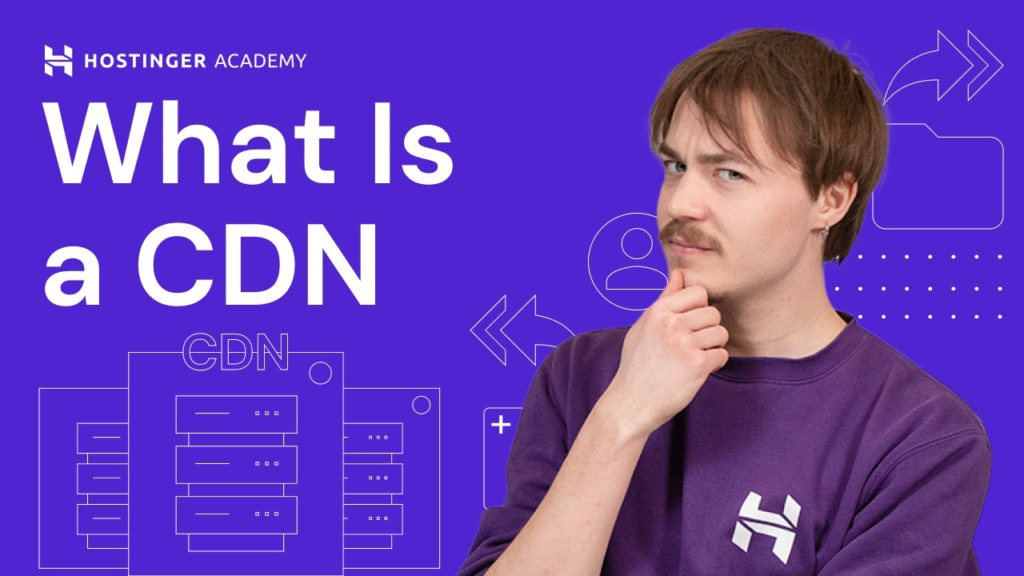
What the Included CDN Delivers on Cloud Professional
- Built directly into hPanel — no separate CDN account, no third-party billing, no complex DNS configuration
- Enabled with a single click — takes under a minute to activate after account setup
- Hostinger reports approximately 40% performance improvement for sites with geographically distributed audiences once CDN is active
- Reduces server load — cached requests handled by the CDN edge servers rather than your hosting account’s CPU
- Improves Core Web Vitals scores — particularly Largest Contentful Paint, which Google uses as a ranking signal
CDN Impact by Website Type
- eCommerce stores: Product image loading is one of the most common causes of slow page scores — CDN caching reduces this significantly for international customers
- Media-heavy blogs and portfolios: Image-rich content loads faster for readers in different countries or regions
- Business sites with global audiences: Contact pages, landing pages, and service pages load consistently fast regardless of visitor location
Full Feature List: Everything Included on Cloud Professional
- 4 dedicated CPU cores, 6 GB dedicated RAM
- 200 GB NVMe SSD storage
- Unlimited bandwidth
- Free domain name for the first year ($9.99 value)
- Unlimited free SSL certificates, auto-installed and renewed
- Free email mailboxes, included for the first year
- Dedicated IP address
- Free CDN, built into hPanel
- Daily automatic backups + on-demand backup capability
- WordPress staging environment
- Object Cache for faster dynamic content delivery
- Priority 24/7 expert support
- 99.9% uptime guarantee
- 30-day money-back guarantee
Cloud Professional Pricing
| Billing Term | Price Per Month | Total Upfront |
|---|---|---|
| 48 months | $15.99/mo | ~$767.52 |
| 24 months | ~$18.99/mo | ~$455.76 |
| 12 months | ~$21.99–$24.99/mo | ~$263–$299 |
Seasonal promotions can reduce these rates. Check the current live Cloud Professional price here before committing to confirm the active rate.
Pros and Cons
Pros
- 6 GB dedicated RAM eliminates the memory ceiling that limits Cloud Startup on high-traffic or database-heavy sites
- On-demand backups provide pre-update protection that daily automatic backups alone don’t cover
- CDN included at no extra cost, Hostinger Cloud Professional hosting review, enabled with one click
- Staging environment pairs with on-demand backups for a complete safe-update workflow
- Fully managed — no server administration skills required
- 30-day money-back guarantee
Cons
- CPU core count (4) is identical to Cloud Startup — the upgrade is RAM and storage, not processing power
- Significantly higher price than Cloud Startup at every billing term
- No phone support — chat and ticket-based only
- Very high-concurrency sites may still require Cloud Enterprise for the additional 2 CPU cores and 12 GB RAM
Who Should Choose Cloud Professional Hosting?
- WooCommerce stores approaching 1,000 products where 4 GB RAM on Cloud Startup is showing signs of pressure
- Sites that update plugins or themes frequently and need pre-update on-demand backup protection
- Businesses with internationally distributed customers where CDN performance gains translate to real revenue impact
- Membership sites and LMS platforms where 6 GB RAM supports more concurrent authenticated users
Frequently Asked Questions
What’s the main benefit of Cloud Professional over Cloud Startup?
50% more RAM (6 GB vs 4 GB), double the NVMe storage (200 GB vs 100 GB), and on-demand backup capability on top of daily automatic backups. CPU cores are the same at 4 dedicated cores on both plans.
How does the on-demand backup feature work?
From hPanel, you can manually trigger a backup at any time — before a plugin update, before a migration, or before any major change to your live site. This creates a restore point that’s independent of the automatic daily backup schedule.
Does the CDN cost extra on Cloud Professional?
No. The CDN is built into hPanel and included in the Cloud Professional price — no separate account, no usage-based billing, no additional setup beyond a single click to activate.
Can I upgrade from Cloud Startup to Cloud Professional later?
Yes. Mid-term upgrades are handled through hPanel with prorated billing. Your site stays live during the upgrade.
Is Cloud Professional good for a WooCommerce store?
Yes, specifically for stores approaching 1,000 products or experiencing memory-related slowdowns on Cloud Startup. It’s rated for advanced WooCommerce support at that scale.
Final Verdict
For websites where dedicated resources, daily backup protection, and CDN performance aren’t theoretical benefits but operational necessities, Hostinger Cloud Professional hosting delivers all three as standard inclusions — not paid add-ons. The extra RAM over Cloud Startup, Hostinger Cloud Professional hosting review, combined with on-demand backup capability and a built-in CDN, makes it the right-sized upgrade for sites that are actively outgrowing the entry cloud tier without yet needing Cloud Enterprise scale.
If your site is showing memory pressure, your backups need to be more granular than daily automatic schedules allow, or your audience spans multiple countries and load time consistency matters to your bottom line, this is the tier built to address those specific needs. Check Hostinger’s current Cloud Professional pricing here and see if it fits your site’s requirements.
You can also read: Hostinger Cloud Startup Hosting Features: Why It Is Better Than Traditional Shared Hosting.