Cloud hosting with CDN, daily backups, and a dedicated IP typically appears on provider pricing pages as three separate line items — each with its own monthly billing. Hostinger Cloud Startup hosting bundles all three into one flat monthly rate alongside 4 dedicated CPU cores, 4 GB dedicated RAM, and 100 GB NVMe SSD storage. This guide explains exactly what each of those inclusions provides, Hostinger Cloud Startup pricing, what the plan costs across all available terms, and whether the combined package justifies upgrading from shared hosting to cloud infrastructure.
Cloud Startup Pricing: Every Term Option in 2026
Cloud Startup is available across three billing terms, all at the same promotional rate structure:
| Term | Monthly Rate | Total Upfront | Savings vs Monthly |
|---|---|---|---|
| 12 months | ~$11.99/mo | ~$143.88 | Good entry commitment |
| 24 months | ~$9.99/mo | ~$239.76 | Meaningful monthly saving |
| 48 months | $7.99/mo | ~$383.52 | Best long-term rate |
Renewal rate: approximately $25.99/month after the promotional term. Always check the current Cloud Startup price before checkout — seasonal promotions may reduce these rates further.
The 48-month plan at $7.99/month is the rate most Cloud Startup reviews reference. The realistic long-term cost calculation: four years at $383.52 total, then renewal at approximately $25.99/month. If your site needs cloud infrastructure for 4+ years, the 48-month plan is the most cost-effective structure. If you’re evaluating Cloud Startup for the first time, the 12-month option at ~$143.88 provides a lower-risk entry with the same feature set.
Complete Cloud Startup Specifications
| Specification | Value |
|---|---|
| CPU Cores | 4 dedicated |
| RAM | 4 GB dedicated |
| NVMe Storage | 100 GB |
| Bandwidth | Unlimited |
| Websites | Up to 100 |
| Free Domain | Yes (1 year) |
| Free SSL | Unlimited, permanent |
| Email Mailboxes | 100 (year 1 free) |
| Dedicated IP | Included |
| Free CDN | Included |
| Daily Backups | Automatic, daily |
| Object Cache | Included |
| Support | Priority 24/7 |
| Uptime Guarantee | 99.9% |
| Money-Back | 30 days |
Feature Deep-Dive: Free CDN on Cloud Startup
CDN stands for Content Delivery Network. It’s a globally distributed network of servers that caches copies of your site’s static assets — images, CSS files, Hostinger Cloud Startup pricing, JavaScript, web fonts — and delivers them from whichever server is geographically closest to each visitor.
What the CDN Does for Your Site
- Reduces load time for international visitors: A user in Singapore loading your site from a Hostinger server in Europe without CDN waits for data to travel ~10,000km. With CDN active, they receive cached assets from a nearby Singapore edge server
- Reduces origin server load: Cached requests are served by edge servers rather than your hosting account — meaning traffic spikes (newsletters, social media mentions, campaigns) hit edge infrastructure before reaching your dedicated resources
- Improves Core Web Vitals scores: Faster static asset delivery contributes directly to Largest Contentful Paint and Time to First Byte — Google’s confirmed ranking signals
- Reduces bandwidth costs: Bandwidth consumed by CDN edge delivery doesn’t count against your hosting account — though Cloud Startup has unlimited bandwidth anyway
How to Activate the CDN on Cloud Startup
From hPanel, navigate to your website’s management section and click Enable CDN. The process takes under a minute and requires no DNS changes or technical configuration. Cloud Startup’s CDN is activated per-website — enabling it on all 100 available websites from one account is a series of individual one-click activations in hPanel.
What CDN Would Cost Separately
Cloudflare Pro (the most commonly compared CDN alternative): $20/month. KeyCDN: approximately $0.04/GB after the free allowance. BunnyCDN: $0.01–$0.06/GB by region. For a site with 50 GB monthly CDN traffic, standalone CDN services cost $2–$20/month. Bundled into Cloud Startup’s flat rate, the CDN saves $24–$240/year compared to a separate CDN subscription.
Feature Deep-Dive: Daily Automatic Backups on Cloud Startup
Cloud Startup includes daily automatic backups as a standard plan feature — not a paid add-on. Here’s what that means in practice:
What Gets Backed Up
- All website files (WordPress core, theme files, plugin files, uploaded media)
- Complete database (posts, pages, WooCommerce orders, settings, user accounts)
- Email data and configuration files
- The entire backup runs server-side — your site doesn’t need active visitor traffic for it to complete
The Maximum Data Loss Window
Daily backups run on a 24-hour cycle. If a plugin update corrupts your database at any point during the day, the worst-case scenario is losing under 24 hours of data — the period between your last backup and the corruption. Compare this to weekly backups (the Premium plan’s schedule), where the worst-case window is 6 days of lost data.
How Restoration Works
From hPanel, select Backups, choose your restore point, specify whether to restore files, database, or both, and confirm. No command-line access, no FTP download, Hostinger Cloud Startup pricing, no manual database import. The restoration completes automatically and is accessible to non-technical account holders.
Daily Backups vs No Backups vs Plugin Backups
| Backup Method | Max Data Loss | Reliability | Technical Skill | Cost |
|---|---|---|---|---|
| None | 100% — full loss | N/A | None needed | $0 |
| Manual plugin (UpdraftPlus free) | Depends on schedule set | Moderate — requires maintenance | Setup and monitoring | $0 + storage cost |
| Hostinger Daily (Cloud Startup) | Under 24 hours | High — server-side, automatic | None — one-click restore | Included |
Feature Deep-Dive: Dedicated IP Address on Cloud Startup Hosting
A dedicated IP address means your hosting account has its own unique IP — not shared with any other account on Hostinger’s infrastructure. The practical implications:
Email Deliverability
Every outbound email from your domain carries your IP’s reputation. On shared hosting, your IP reputation is influenced by every other account on the same shared IP. If any of those accounts sends spam or gets flagged, your transactional emails — order confirmations, password resets, newsletter sends — may land in spam folders as a result. A dedicated IP isolates your reputation entirely: your sending record is built only by your own domain’s email activity.
SSL Reliability
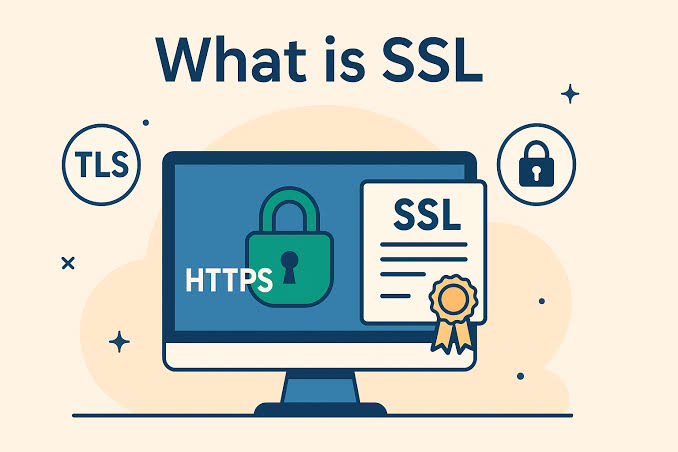
Modern SNI technology allows HTTPS on shared IPs, but certain legacy corporate firewalls, older mobile devices, and specific network configurations handle SSL more reliably when a dedicated IP is available. For business sites expecting visitors from corporate environments with managed IT setups, dedicated IP reduces compatibility edge cases.
Direct Server Access
Your dedicated IP allows accessing your server directly — useful during DNS propagation after a domain migration, during server configuration verification, or when troubleshooting DNS-related issues without depending on public DNS resolution.
What Dedicated IP Costs Separately
Dedicated IP addresses typically cost $1–$5/month as an add-on at most hosting providers. At $12–$60/year, bundling it into Cloud Startup’s flat rate represents a meaningful included value.
The Complete Bundled Value vs Standalone Assembly
| Component | Standalone Annual Cost | Cloud Startup Status |
|---|---|---|
| Cloud hosting (4 CPU, 4 GB RAM) | $40–$100/mo ($480–$1,200/yr) | Core plan |
| Domain registration | ~$12/yr | Free (year 1) |
| SSL (unlimited) | $0–$70/yr per domain | Free, permanent |
| CDN service | $24–$240/yr | Free, included |
| Daily backups | $60–$180/yr (typical add-on) | Free, included |
| Dedicated IP | $12–$60/yr | Free, included |
| Email mailboxes (100) | $120–$600/yr | Free (year 1) |
Assembled separately, equivalent infrastructure costs $700–$2,300+ per year. Cloud Startup at $7.99/month ($96/year on the 48-month term) bundles all of it into one flat rate — the value compression is the plan’s strongest selling point.
Pros and Cons
Pros
- CDN, daily backups, and dedicated IP all included — no add-on billing for these operational essentials
- 4 GB dedicated RAM fully isolated from neighbouring accounts
- 100 GB NVMe provides fast database I/O for WordPress and WooCommerce
- 100-website capacity at dedicated cloud resource level
- Second-place in 365-day independent performance study among 20+ providers
- 30-day money-back guarantee
Cons
- Renewal rate (~$25.99/mo) is significantly higher than entry promotional rate
- No staging environment — available from Cloud Professional tier
- No on-demand backup capability — daily schedule only (on-demand available on Cloud Professional)
- 4 GB RAM may be limiting for high-traffic sites with complex database operations
Frequently Asked Questions
Is the CDN on Cloud Startup free forever or just for year one?
The CDN is included permanently in the Cloud Startup plan — it’s not a year-one-only promotion. It remains active for the full duration of your hosting subscription at no additional cost.
How many websites can I enable CDN on?
CDN can be activated on any or all of the 100 websites included on the Cloud Startup plan. Each activation is a one-click process from hPanel.
Do the daily backups include database and files?

Yes — daily automatic backups cover website files, databases, email data, and configuration files in one complete backup per 24-hour cycle.
Does the dedicated IP cover all 100 websites on the plan?
The dedicated IP is allocated to the account — meaning it applies to the hosting account as a whole. For outbound email reputation purposes, this covers all domains managed from the account. Check with Hostinger support for specific per-domain IP allocation details on your account.
Final Verdict: Is Cloud Startup Worth the Investment?
For websites that need dedicated cloud resources — and specifically need CDN, daily backups, Hostinger Cloud Startup pricing, and a dedicated IP bundled into a predictable monthly cost rather than assembled as separate services — Hostinger Cloud Startup makes a clear case. The standalone cost of assembling equivalent infrastructure ($700–$2,300/year) compared to Cloud Startup’s $96/year entry rate is the most straightforward value argument in managed cloud hosting at this resource tier. The daily backup and CDN inclusions specifically are where most comparable plans charge extra — having them standard removes two recurring cost variables and two maintenance tasks from your infrastructure list. Check the current Cloud Startup pricing here and compare it against your current infrastructure costs before making the decision.
You can also read: Hostinger Cloud Pricing 2026: Cloud Startup Features, Performance, NVMe SSD, Free Domain, Free SSL & Is It Worth Buying?