Hosting pricing pages show you a monthly number. They rarely show you what that number actually buys — which features cost extra elsewhere, which ones expire after year one, and which ones are genuinely permanent inclusions. This guide unpacks the Hostinger Cloud Professional plan line by line: what every included feature actually is, what it would cost you to assemble the same stack from separate services, and how the plan’s pricing structure works across different billing terms.
Cloud Professional Pricing: Every Term Explained
Cloud Professional follows Hostinger’s standard structure — the longer you commit upfront, the lower your effective monthly rate:
| Billing Term | Monthly Rate | Total Upfront | Renewal Rate |
|---|---|---|---|
| 48 months | $15.99/mo | ~$767.52 | Standard rate applies |
| 24 months | ~$18.99/mo | ~$455.76 | Standard rate applies |
| 12 months | ~$21.99–$24.99/mo | ~$263–$299 | Standard rate applies |
Hostinger regularly runs promotional discounts that can push these rates lower. It’s worth checking the current live Cloud Professional price before checkout — an active seasonal offer may apply.
Two things worth knowing about the renewal rate: unlike SiteGround’s cloud plans which are priced the same from day one, Hostinger’s cloud tiers use promotional entry pricing that renews at a higher standard rate. Factor this into your total cost of ownership calculation before committing to a term length.
What Every Line Item in the Plan Actually Includes
Dedicated CPU and RAM — What “Dedicated” Really Means on Cloud Professional
Cloud Professional allocates 4 CPU cores and 6 GB RAM exclusively to your account. “Exclusively” is the operative word — this isn’t a burstable allocation that competes with neighbouring accounts during peak periods. Your CPU and RAM are reserved, available in full at the same level during your busiest traffic hour as during your quietest.
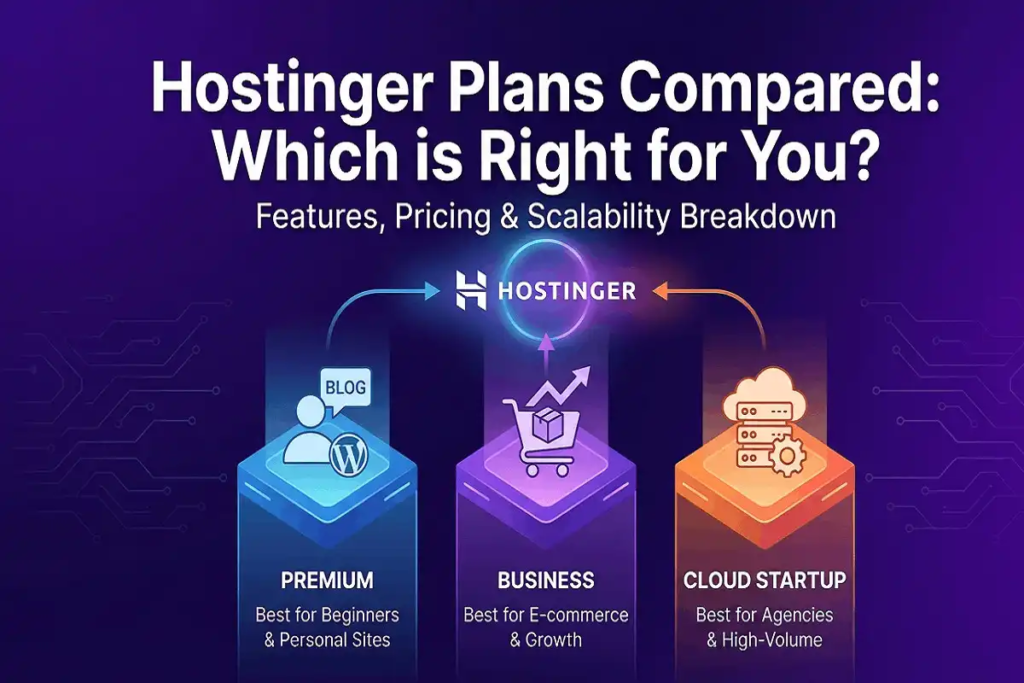
The 6 GB RAM specifically distinguishes Cloud Professional from Cloud Startup’s 4 GB allocation — a 50% increase that’s meaningful for sites running large WooCommerce catalogs, membership platforms with many concurrent users, or memory-intensive plugins like WPML on large content databases.
200 GB NVMe SSD Storage — What You’re Actually Getting
200 GB of NVMe SSD storage at the per-GB market rate for managed hosting storage represents significant standalone value. More practically: NVMe is a faster storage interface than standard SATA SSDs, delivering quicker database read/write operations. For a WordPress site with a large database, this translates directly to faster admin operations, shorter page generation times, and snappier checkout flows on WooCommerce.
Free Domain Name — Duration and Conditions
- One domain registration included free for the first year — value approximately $9.99–$15 depending on extension
- Applies to new domain registrations only, not transfers
- Renews at standard domain pricing after year one (typically $9.99–$15/year for .com)
- Full DNS management through hPanel from day one
Unlimited Free SSL Certificates — What “Unlimited” Covers
- SSL certificates for every domain and subdomain on your account — no per-certificate cost
- Auto-installed at signup — no manual configuration or Certificate Signing Request process
- Auto-renewed for the life of your hosting plan — no expiry risk, no manual action required
- Included permanently, not limited to year one like the free domain
A commercial SSL certificate for a single domain typically runs $10–$70/year depending on validation level. Having unlimited SSL across all your domains permanently bundled into Cloud Professional removes this as a line item entirely — across every additional domain you add to the account over time.
Free Email Mailboxes — Numbers and Duration
- Professional email mailboxes tied to your domain (yourname@yourdomain.com)
- Included for the first year on your hosting plan
- Full IMAP/POP3/SMTP support for use with any email client
- Webmail access through hPanel for browser-based checking
Free CDN — What’s Built In and What It Does
- CDN built directly into hPanel — no separate account or third-party service required
- Enabled with a single click from the hPanel dashboard
- Caches static content (images, CSS, JavaScript) across global edge servers
- Serves cached assets from the server geographically closest to each visitor
- Included in the base price — no usage-based overage charges
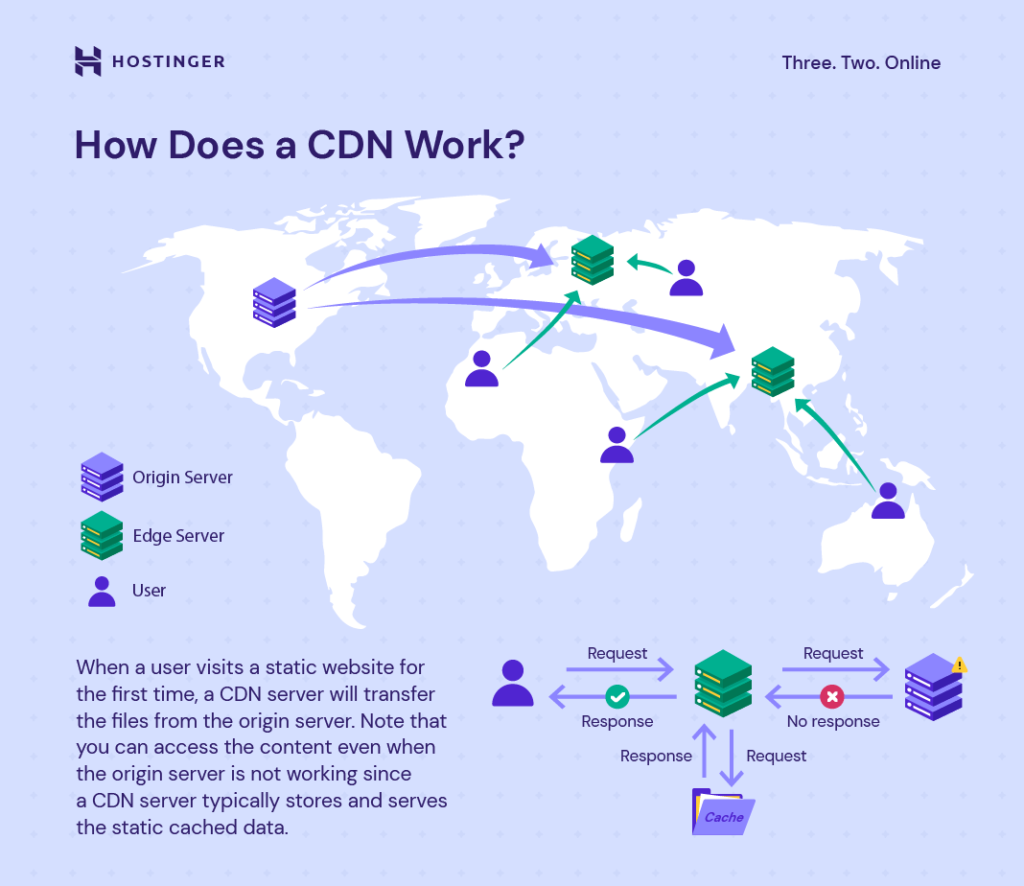
Third-party CDN services (Cloudflare Pro, BunnyCDN, KeyCDN) typically cost $5–$20/month on top of your hosting bill. Having it built into Hostinger’s Cloud Professional plan removes that as a separate ongoing expense.
Dedicated IP Address — What It Provides
- A unique IP address allocated exclusively to your hosting account
- Separates your email reputation from any shared IP pool
- Useful for businesses sending transactional emails or newsletters where deliverability matters
- Some SSL configurations and specific security setups require or benefit from a dedicated IP
A dedicated IP address is typically offered as a paid add-on ($1–$5/month) at hosting providers that don’t bundle it into the plan — included as standard on all Hostinger cloud hosting plans.
Daily Backups + On-Demand Backup Capability
- Daily automatic backups — run every 24 hours without manual action
- On-demand backups — manually triggered snapshots available at any time from hPanel
- Restoration managed through hPanel without requiring technical knowledge
- On-demand capability is unique to Cloud Professional within Hostinger’s lineup — Cloud Startup offers daily automatic backups but not on-demand snapshots
WordPress Staging Environment
- A full copy of your live site in a separate environment for testing
- Test plugin updates, theme changes, and code modifications before pushing to production
- No risk to your live site during development or testing
- Push-to-live when staging changes are confirmed working
Object Cache
- Stores the results of repeated database queries temporarily so they don’t re-run for each visitor
- Directly reduces database load during high-traffic periods
- Particularly impactful for WooCommerce product pages and dynamic content sites
Priority 24/7 Expert Support
- Live chat and ticket support, available at all hours
- Priority queue positioning — Cloud Professional tickets are handled before standard support tier requests
- Available in multiple languages
What the Same Stack Would Cost Assembled Separately
| Feature | Approximate Standalone Cost | Status on Cloud Professional |
|---|---|---|
| Cloud hosting (6 GB RAM) | $25–$100/mo (varies by provider) | Included |
| Domain registration | $9.99–$15/yr | Included (yr 1) |
| SSL certificate | $0–$70/yr per domain | Unlimited, permanent |
| CDN service | $5–$20/mo | Included |
| Dedicated IP | $1–$5/mo | Included |
| Daily backups | $2–$10/mo add-on (many hosts) | Included |
| Staging environment | Often included on premium hosts only | Included |
When you add up the individual market value of each component — particularly the CDN and dedicated IP, which are commonly billed as add-ons — the Cloud Professional bundle price represents meaningful savings over assembling the equivalent stack from separate services.
Pros and Cons of the Cloud Professional Plan
Pros
- Every major feature bundled into the plan price — no hidden add-on costs to assemble a complete setup
- 6 GB dedicated RAM handles memory-intensive sites that push Cloud Startup’s 4 GB ceiling
- On-demand backups unique within Hostinger’s lineup at this tier
- Staging environment + on-demand backups = complete safe-update workflow
- Fully managed — no server administration knowledge required
- 30-day money-back guarantee
Cons
- Renewal pricing increases after the first promotional term — calculate total cost before committing
- CPU core count (4) is the same as Cloud Startup — the upgrade is RAM and storage, not processing power
- No phone support — chat and ticket-based only
- Upfront cost on longer terms is substantial
Frequently Asked Questions
Is everything in the Cloud Professional plan really included, or are there hidden charges?
The features listed — SSL, CDN, dedicated IP, daily backups, on-demand backups, staging environment, and domain (year one) — are genuinely included in the plan price. The domain renews at standard pricing after year one, and email mailboxes are free for the first year only. Everything else is permanent.
How does Cloud Professional pricing compare to Cloud Startup?
Cloud Professional starts at $15.99/month (48-month term) versus Cloud Startup’s $7.99/month. The additional cost buys 2 GB more RAM, double the storage (200 GB vs 100 GB), and on-demand backup capability. CPU cores are the same on both plans at 4 dedicated cores.
Is the CDN really free with no usage limits?

Yes — it’s included in the flat plan price with no usage-based billing. There are no bandwidth caps on the CDN component that would trigger additional charges as your traffic grows.
Does Cloud Professional include a staging environment?
Yes. A full WordPress staging environment is included, allowing you to test changes on a copy of your live site before pushing them to production.
What’s the difference between daily backups and on-demand backups?
Daily backups run automatically every 24 hours. On-demand backups are manually triggered snapshots you create at any time — useful immediately before a plugin update, migration, or major site change, giving you a precise recovery point rather than relying on the previous night’s automatic backup.
Final Verdict: Does Cloud Professional’s Pricing Add Up?
When every included feature is itemised against its standalone market value, Hostinger Cloud Professional holds up well as a bundled package. The CDN, dedicated IP, and on-demand backup capability alone typically cost extra at providers that charge for them separately — here they’re included in a flat monthly rate alongside 6 GB of dedicated RAM and 200 GB NVMe storage.
For a growing business website that needs the complete stack — not just hosting, but CDN, backups, staging, and email — without managing multiple separate service bills, Cloud Professional’s all-in pricing structure makes the total cost of ownership more predictable than assembling equivalent infrastructure piecemeal. Check Hostinger’s current Cloud Professional pricing here and compare it against your current hosting stack’s total monthly cost.
You can also read: Hostinger Cloud Startup Price Comparison: Hostinger vs Bluehost vs SiteGround Cloud Hosting.